
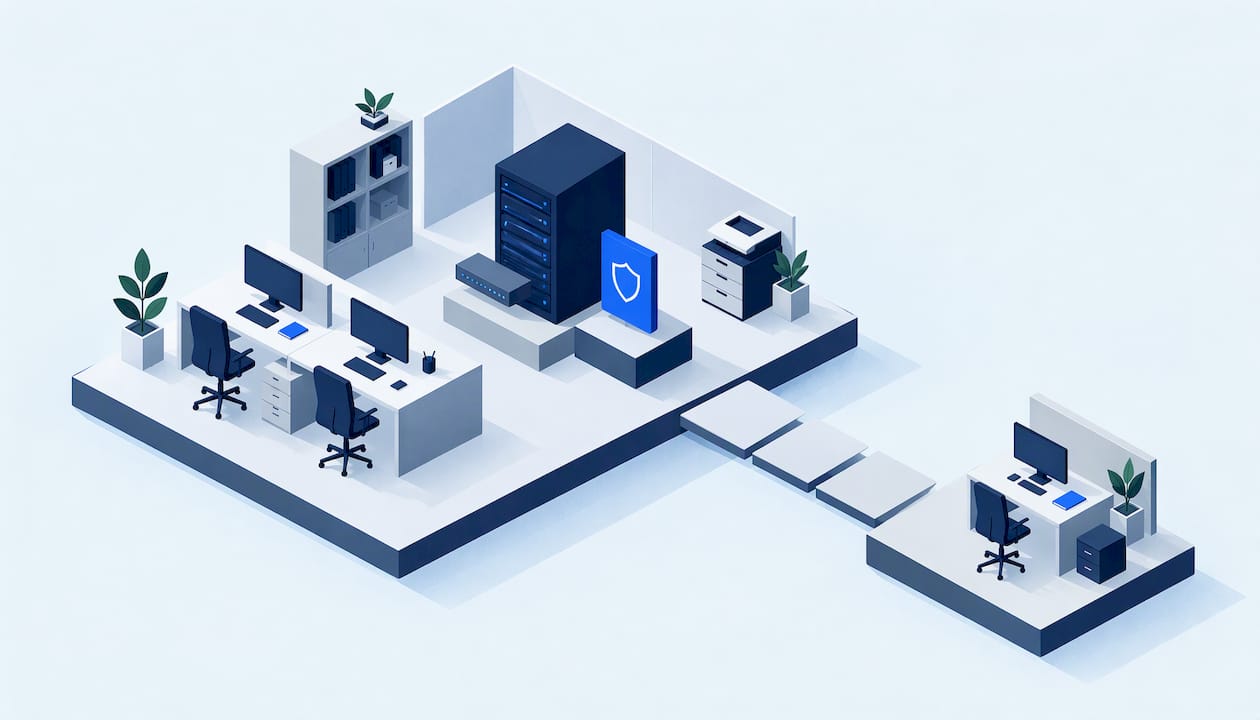
Small business IT support is outside help that keeps your computers, printers, Wi-Fi, software, email and backups working, and fixes them quickly when they don't. It can be a local technician you call when something breaks, a monthly arrangement with a provider that watches your systems remotely, or a mix of both. The right choice depends on how many people rely on technology, how costly an hour of downtime is, and how much of the setup you can keep up yourself.
This guide explains what support normally includes, how the main arrangements differ, what Canadian guidance says to check before you sign, and what moves the price.
TL;DR
- Good support covers devices, network and Wi-Fi, printers, software, security and backups, plus someone who answers when something stops working.
- You can pay per problem (break-fix), pay a predictable monthly fee (managed services), or combine a local technician with a few agreed routines.
- Before you commit, ask about response times, what is and isn't covered, where your data lives and who is responsible for it.
- Price depends mostly on headcount, number of devices, response speed and how much security and monitoring is included.
- If you are in Markham or the GTA, our small-business IT support is in-person and explained without jargon.
Table of Contents
- What small business IT support includes
- Problems small businesses most often need fixed
- The main ways to get IT support
- How to choose a provider
- What small business IT support costs
- How good support reduces downtime and stress
- A simple way to decide
- Our perspective on small business IT support
- How we can help your business
- FAQ
- Sources
What small business IT support includes
Most providers describe their work in the same handful of areas. Here is what each one means in practice for an office of two to twenty people.
Computers and laptops
This is the everyday layer: desktops that won't start, laptops with failing batteries or cracked screens, machines that have become painfully slow, and upgrades such as more memory or a faster drive. A technician diagnoses the fault, explains the options (repair, upgrade or replace) and gets the person working again. Our desktop and PC repair and laptop repair work follows that same pattern.
Network and Wi-Fi
A router that drops out every afternoon, a back office that can't get a signal, a shared folder nobody can open: these are network problems. Support here means setting up the network properly, troubleshooting connectivity, and making sure staff devices and the printer can all find each other.
Printers and shared equipment
Printers cause a disproportionate share of office frustration. Driver conflicts, Wi-Fi printers that go offline and scanners that stop sending to email are routine calls. If printing matters to your business, ask whether setup and repair are part of the arrangement. We cover this on our printer repair and setup page.
Software and operating system problems
Errors after an update, programs that crash, email that won't sync, accounting software that stops opening. Software troubleshooting is usually the most common reason a small business calls for help.
Security: viruses, malware and safe habits
Support should include removing infections when they happen and reducing the chance of the next one. For a small team, that means keeping systems updated, using sensible passwords and multi-factor sign-in, and teaching staff to spot suspicious messages. The Canadian Centre for Cyber Security publishes baseline cyber security controls for small and medium organizations, a practical checklist you can compare against what your provider does.

Backup and recovery
Backups are the part owners most often assume is handled and rarely confirm. Good support means knowing what is backed up, where the copy sits, how often it runs, and that someone has checked that a file can actually be restored.
Help desk
The help desk is simply the person or team you contact when something is wrong. For some businesses that is a phone number and a technician who comes on site. For others it is a ticket system with remote access. What matters is that you know who to call and roughly how long you will wait.
Problems small businesses most often need fixed
The calls that come in tend to be ordinary, and that is a good sign: most small business IT trouble is routine and fixable.
- A computer that takes ten minutes to start or freezes during invoicing.
- A laptop with a dead battery or damaged screen before a client meeting.
- Pop-ups, redirected browsers or a warning that files are locked, all signs that malware may be present.
- Wi-Fi that works in one room and not in another.
- A printer that was working yesterday and now shows offline.
- A new hire who needs a computer set up with email, software and access to shared files.
- An old computer holding the only copy of important documents.
None of these require an enterprise IT department. They require someone who answers, understands the problem and explains the fix in plain language.
The main ways to get IT support
Small businesses generally choose among three arrangements. Each is legitimate, and the best fit depends on your size and how much disruption you can absorb.
| Arrangement | How it works | Suits you if | Watch for |
|---|---|---|---|
| Break-fix (pay per job) | You call when something fails and pay for the work done | You have a few devices, few staff and rare issues | Costs vary month to month; no one is watching for problems in advance |
| Managed services (monthly plan) | A provider monitors and maintains your systems, usually remotely, for a predictable fee | You have a larger team or can't afford downtime | Make sure the contract states exactly what is covered and how fast they respond |
| Local technician plus agreed routines | A trusted local technician handles repairs and also does scheduled check-ups, updates and backup reviews | You want a named person who knows your office without a heavy contract | Agree in writing what the check-ups include |
| In-house employee | Someone on payroll handles IT | You have a large team with constant needs | One person is a single point of failure when sick or on vacation |
What managed services means
The Canadian Centre for Cyber Security defines a managed service provider as a company that remotely manages IT infrastructure and user devices for a client. Typically it runs some form of monitoring centre and help desk, maintains the systems it manages proactively, and bills on a predictable model. That predictability is the main attraction for owners who want to budget IT like rent or insurance.
Where a local technician fits
Remote management works well for monitoring and updates, but plenty of problems are physical: a failed drive, a dead power supply, a printer that needs hands on it, a dead spot in the office. A local technician can walk in, look at the equipment and talk to the staff who use it. For many small offices in Markham and across the GTA, that is the more comfortable arrangement, particularly for owners who are not technical and want things explained face to face.

How to choose a provider
You don't need to be technical to ask good questions. Start with these, several of which come straight from Canadian government guidance.
1. Ask what is covered, in writing
A vague promise of "support" causes most disputes. Ask for a list: which devices, which software, whether network and printers are included, whether after-hours calls are covered and what counts as extra.
2. Ask about response and resolution times
The Cyber Centre's guidance on choosing a cyber security solution advises asking for example service level agreements and reviewing commitments on response times and time to resolution. That advice is written for security services, but it applies just as well to everyday support: how soon will someone reply, and how soon will it be fixed?
3. Ask about experience, standards and your industry
The same guidance suggests checking whether a provider follows well-established security standards and processes, has an experienced team with the relevant certifications, and understands the compliance rules your business operates under. If you handle client health, financial or personal information, say so up front and ask how they would protect it.
4. Know who owns the data and the risk
The Cyber Centre notes that your organization remains the data owner and is legally responsible for its security, even when a provider manages your systems. It also points out that providers with access to many clients' systems are attractive targets for criminals. Its recommendations include defining your security requirements explicitly, asking how your data is kept separate from other clients' data, finding out how long logs are kept, and arranging a way to communicate that doesn't depend on your corporate network if something is compromised. All of this is in its guidance for consumers of managed services. Put those answers into the service agreement.
5. Ask how they explain things
A provider who can't explain a problem plainly will not help you decide whether to repair, upgrade or replace. You should leave a conversation knowing your options and what each costs, with no pressure to pick one.
6. Check how backups and recovery are handled
Ask where copies are stored, how often they run and when a restore was last tested. This one question tells you a lot about how seriously a provider takes your continuity.
What small business IT support costs
Prices differ widely across Canada and between providers, so treat any single number you read online with caution. What matters more is understanding what drives the quote.
- Number of users and devices. Managed plans are commonly priced per person or per device, so a team of three costs very differently from a team of fifteen.
- Response speed. Same-day or after-hours coverage costs more than next-business-day.
- Security and monitoring. Plans that include monitoring, patching, endpoint protection and backups cost more than repair-only arrangements.
- On-site versus remote. Visits to your premises take travel and time, but some problems can only be solved in person.
- Age and condition of equipment. Older machines and patched-together networks take more effort to keep running.
- Project work. Setting up a new office, migrating email or replacing a network is usually quoted as a separate job from ongoing support.
One useful reference point is the Cyber Centre's recommendation that organizations spend 4 to 7 per cent of their IT budget on cyber security, and compare that against their other spending priorities. It is a way to sanity-check whether security is getting attention in your plan.
We don't publish fixed prices for our services, because the right quote depends on your equipment and what you need. You can contact us about your situation and get options explained before any work starts.
How good support reduces downtime and stress
The real value of support isn't a particular service, it is the hours you don't lose.
Downtime. When the person who handles invoices can't open her software, the cost is her wages plus the delay to everyone waiting on her. Someone who already knows your setup fixes it faster than a stranger starting from scratch.
Security. Small businesses are not too small to be hit by malware or phishing. Updated systems, backups and trained staff reduce both the chance and the damage.
Limited technical resources. Most owners didn't start their business to administer networks. Handing that off lets you focus on customers, and gives you one number to call instead of searching for help in the middle of a crisis.
Planning. A support partner who sees your equipment can tell you which computer is nearing the end of its life before it fails on a Monday morning, so replacements become a planned expense instead of an emergency.
A simple way to decide
Walk through these questions.
- How many people depend on a computer to earn money? Fewer than five, with simple needs, often means a local technician is enough. More than that, or any reliance on shared systems, argues for scheduled maintenance.
- What would a day of downtime cost? If the answer is painful, prioritize guaranteed response times.
- Do you hold sensitive client data? If yes, put security requirements and data handling into a written agreement.
- Do you want to be hands-on? If not, choose a provider who handles updates, backups and reminders without asking you to manage them.
- Do you prefer a face you know? Then look for someone local who can come to your office.
Our perspective on small business IT support
We work with home users and small businesses in Markham and across the Greater Toronto Area, and the same thing comes up again and again: owners aren't frustrated by technology as such, they're frustrated by not understanding what they are being told.
That is why we built our approach around clear communication. When we look at a failing computer, a flaky network or a printer that keeps dropping offline, we explain what we found in everyday words, lay out the options, and let you decide. We don't expect you to speak IT.
We believe local, hands-on support is a real advantage for a small business. We can come to your office, see the equipment you actually use and talk with the people who use it. That makes troubleshooting faster and recommendations more practical, from slow-computer optimization and virus removal to Wi-Fi troubleshooting, printer setup and data backup guidance.
Our aim is straightforward: restore what's broken quickly, keep the explanations simple and make technology something your business can rely on instead of worry about.
the author
How we can help your business
If you run a small business in Markham or elsewhere in the GTA, we provide in-person IT support covering computer and laptop repair, printer setup, virus and malware removal, Wi-Fi and network troubleshooting, hardware upgrades and data backup guidance. You get plain explanations and clear options at each step.
See what we offer on our small-business IT support page, or browse our full list of repair and IT services.

FAQ
What is small business IT support?
It is outside help with the technology your business runs on: computers, network and Wi-Fi, printers, software, security and backups. It can be on demand, when something breaks, or an ongoing arrangement where a provider keeps systems maintained. The goal is less downtime and fewer surprises.
Is a managed service provider the same as an IT support company?
Not exactly. A managed service provider typically manages your systems remotely, with monitoring, a help desk and predictable billing, according to the Canadian Centre for Cyber Security. Other IT support companies work job by job or mix on-site visits with scheduled maintenance. Ask any provider which model they use.
How quickly should a support provider respond?
There is no single standard, so ask for it in writing. Canadian cyber security guidance suggests reviewing response and resolution commitments before you sign. Decide what a day of downtime costs you, then match the commitment to that.
Can I still use IT support if I only have a few computers?
Yes. Small offices often do best with a local technician who handles repairs, printer and Wi-Fi problems, virus removal and backup guidance as needed. You can add regular check-ups later if your team grows.
Who is responsible for my data if a provider manages my systems?
You are. The Cyber Centre states that the organization is the data owner and is legally responsible for data security, which is why the service agreement should spell out security requirements and how data is handled.
Sources
- Cyber security considerations for consumers of managed services (ITSM.50.030)
- Choosing the best cyber security solution for your organization (ITSM.10.023)
- Baseline cyber security controls for small and medium organizations